
Advanced Chat System FiveM | Modern Messaging & Roleplay Commands (ESX, QBCore, QBX)
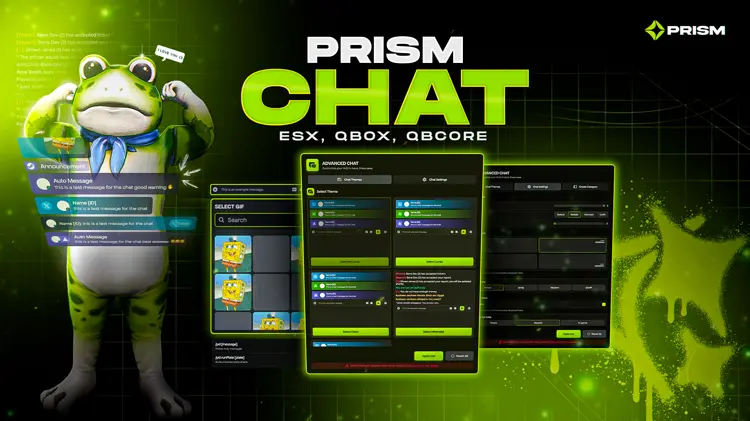
Enhance your FiveM server with an Advanced Chat System featuring modern UI, category-based messaging, roleplay commands, and full customization. Designed for performance, immersion, and flexibility, this system makes in-game communication organized, immersive, and visually appealing.
Why Use an Advanced Chat System in FiveM?
A high-quality chat system improves:
-
Player interaction and communication clarity
-
Roleplay immersion with commands like /me, /do, and /ooc
-
Staff management with private channels and announcements
-
Server organization with category-based chat and permissions
Key Features
Modern Chat UI
Clean, readable interface with smooth animations and responsive design.
Category System
Create unlimited chat categories such as Local, Global, Police, Staff, Gangs, Ads, and more.
In-Game Chat Editor
Manage chat channels live without editing files.
Roleplay Commands
Full styling and formatting for /me, /do, /ooc, and other RP commands.
3D Action Text
Optional floating 3D /me above player HUD (configurable).
Staff Announcement System
Send in-game announcements with /staffannc.
Staff-Only Chat
Private channels for staff members only using /staffchat.
Job Chat Tags
Display job role with player name (e.g., [LSPD] Vel Smith) using /job.
Private Messaging
Send private messages via /pm playerID message.
Advertisement Channel
Global advertisement chat using /ad command.
Anonymous Messages
Send messages anonymously using /anon command.
Permission Controls
Restrict channels by job, grade, or role.
Channel Visibility Rules
Control visibility with staff-only, job-only, or global channels.
Font & Theme Settings
Customize multiple themes, fonts, sizes, and layout options.
Name & Identity Options
Display RP name, Steam name, job name, or custom formats.
Icon & Color Customization
Set per-channel icons, colors, and background styles.
Optimized Performance
Lightweight, smooth, and low resource usage for high message volume.
Powerful Admin Tools
-
Create and manage chat categories
-
Configure permissions and job restrictions
-
Set icons, colors, and formatting per channel
-
Control read/write access with live preview
-
Changes sync instantly without server restart
Full Customization
-
Control channel rules, 3D text behavior, fonts, sizes, colors
-
Adjust name formats, job prefixes, and command visibility
-
Customize staff tools and UI layout
-
Minimal setup required
Compatibility and Performance
-
Fully compatible with ESX, QBCore, and QBX
-
Works cleanly in semi-standalone setups
-
Lightweight and optimized for large RP servers
-
Supports complex categories, permissions, and high message volume
Video Preview
For more FiveM scripts, tutorials, and server tips, visit our website and join our community of server owners and developers. Let’s build the ultimate roleplay experience together!




Reviews
There are no reviews yet.